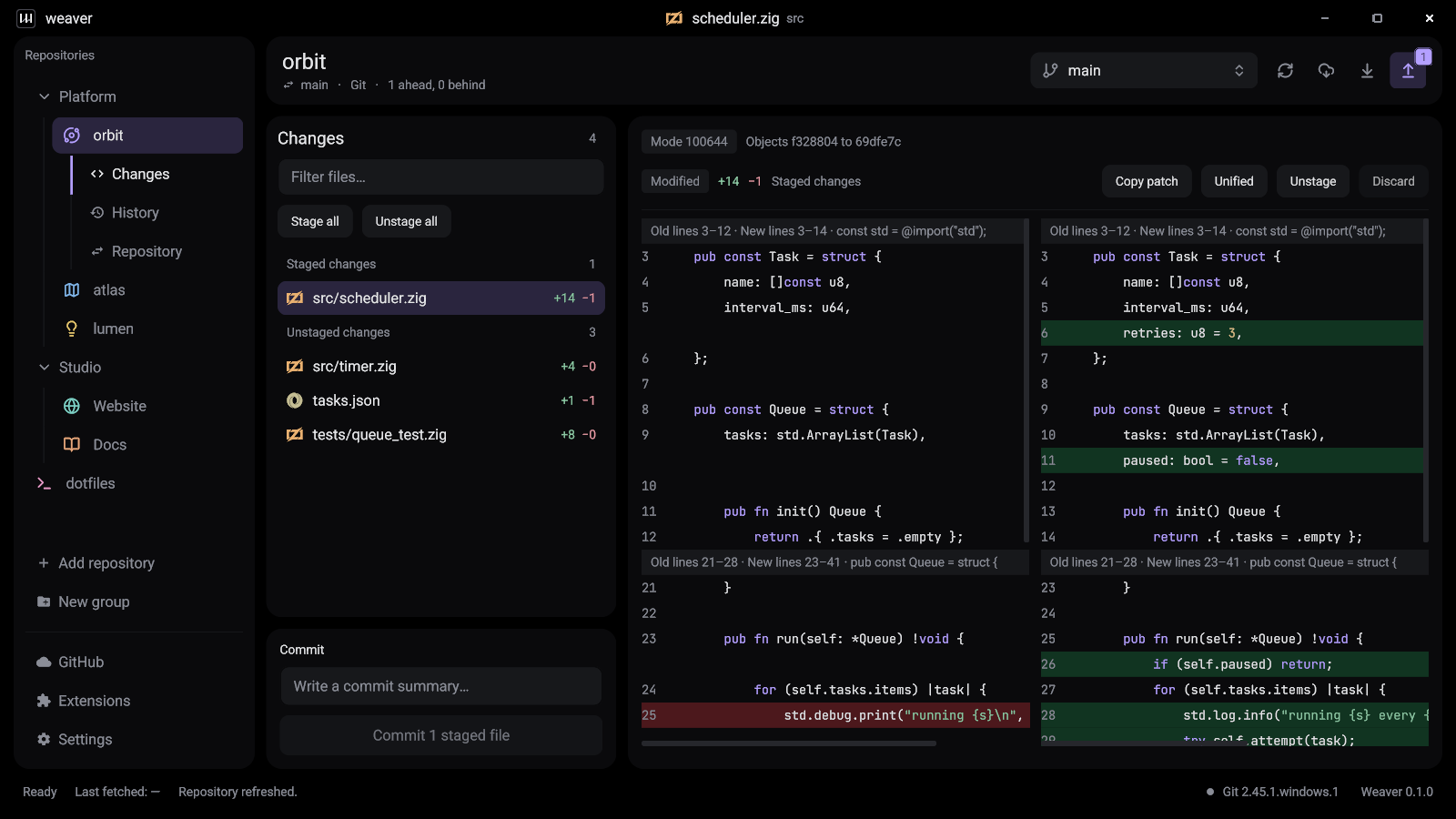
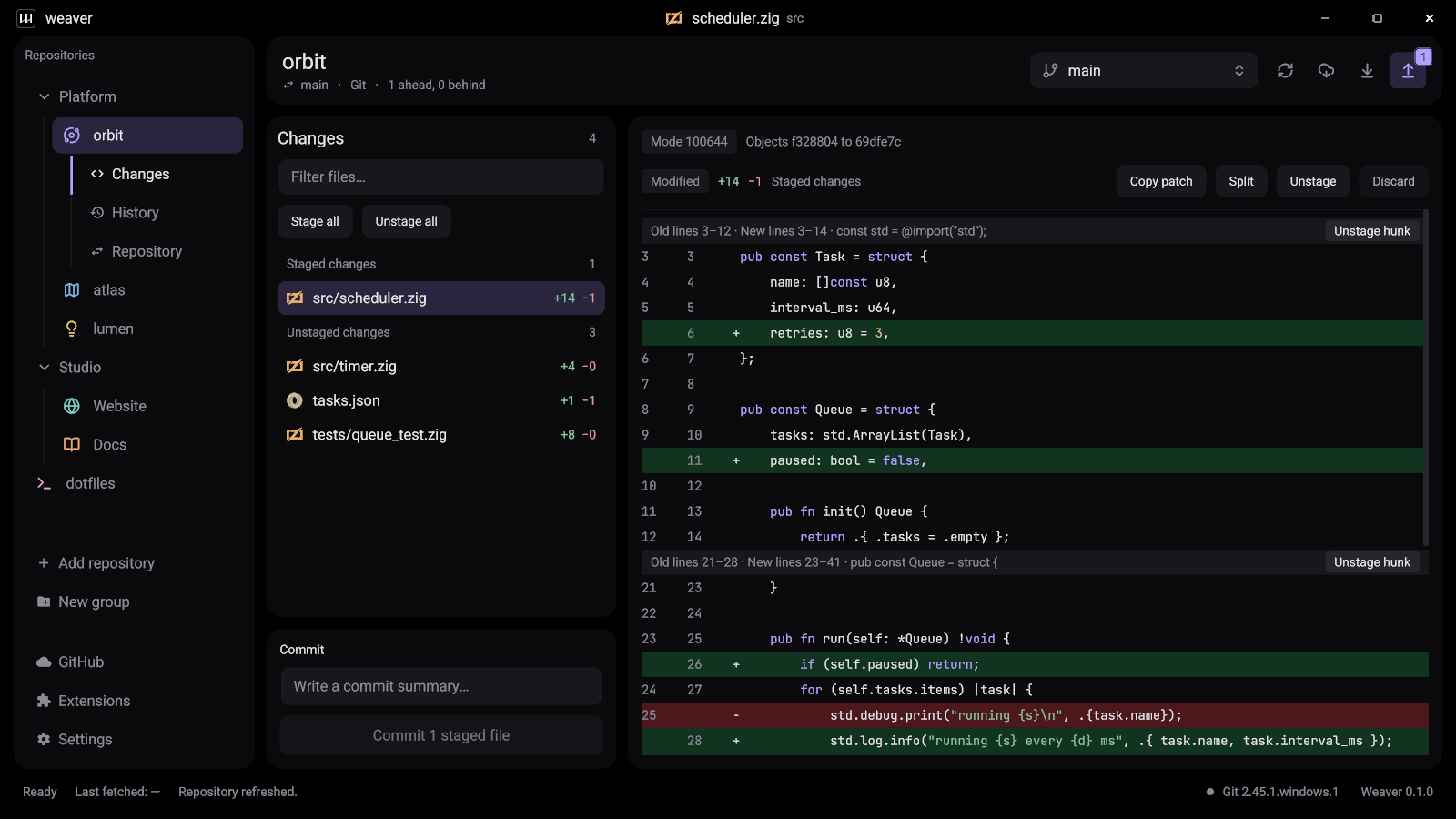
Diffs you can actually read
Syntax-highlighted, unified or side by side.
A free, open-source Git GUI for Windows, macOS and Linux. Fully native, so it opens instantly.
Free and MIT licensed. All platforms
* Median of three runs on a synthetic repository, release build on Windows. How it was measured
Features
Syntax-highlighted, unified or side by side.
Whole files, single hunks, or everything at once.
Create, switch, publish, pull and push from the toolbar.
Keep either side, then continue or abort.
Drag a folder in. Group and reorder as you like.
Failed pushes explain themselves and suggest the next step.
Track file types and see transfers, status and locks.
Add commands with a small executable that speaks JSON.
Read the extension API{
"api_version": 1,
"id": "example.audit",
"name": "Repository Audit",
"commands": [{
"id": "audit.run",
"title": "Audit repository"
}]
}Sign in once and clone over HTTPS or SSH. Other Git hosts work too.
Look and feel
Eleven themes and twelve accents, straight from the app.
Safe by design
Repository content is never interpreted by a shell.
Tokens live in your system keychain, never in settings or URLs.
Hooks, commit signing and LFS filters work exactly as in your terminal.
No force-pushes or hard resets on its own. Destructive actions ask first.
Weaver vs GitHub Desktop
| Feature | Weaver | GitHub Desktop |
|---|---|---|
| How it is built | Yes: Native code (Zig), GPU-drawn UI | Partly: Electron (Chromium and Node.js) |
| Linux | Yes: Official build (Wayland) | No: No official build |
| Signed installers and automatic updates | No: Not yet | Yes: Yes |
| Pull requests | No: Not yet | Yes: Create, check out and see checks |
| Themes | Yes: 11 themes, 12 accent colors | Partly: Light and dark |
| Extensions | Yes: Any language, JSON over stdin/stdout | No: No extension API |
Development preview
Version 0.1.0 handles daily Git work. Windows is the most tested platform, and a few things are still missing.
Questions
Yes. Weaver is free to download and use, for personal and commercial work, and its source code is published under the MIT License. There is no account, subscription or paid tier.
Windows 10 and 11 on x64, macOS on Apple Silicon, and Linux on x64 with a Wayland session and a Vulkan 1.3 driver. Windows is the most tested platform today.
Yes. Weaver covers the same everyday work as GitHub Desktop: reviewing changes, staging, committing, branching, pulling and pushing. It is a native app rather than an Electron app, it has an official Linux build, and it adds stashes, tags, Git LFS tools, eleven themes and an extension API. GitHub Desktop is the more mature app and has features Weaver does not have yet, such as pull request integration and staging single lines.
Yes. Weaver works with any Git remote over HTTPS or SSH, using the credential helpers and SSH setup you already have. One-click sign-in and the repository list are available for GitHub.
Yes. Weaver uses the Git already on your machine, so your configuration, hooks, commit signing and LFS filters behave exactly as they do in the terminal. If Git is missing, Weaver tells you and helps you install it.
No. Weaver is written in Zig with the KnotsUI toolkit and libgit2. There is no webview, Chromium or Node.js runtime inside it, which is why the Windows download is about 5 MB.
Weaver never force-pushes, hard-resets or deletes untracked files on its own, and destructive actions ask for confirmation first. Credentials stay in your operating system’s credential store. It is still a development preview, so expect rough edges and please report anything that goes wrong.
The preview builds are not code-signed yet, so Windows SmartScreen and macOS Gatekeeper show a warning the first time. The download page explains how to continue and how to verify the SHA-256 checksum of your download.
x64
Extract the folder and run weaver.exe.
Windows setup guideApple Silicon
Open the disk image and drag Weaver to Applications.
macOS setup guidex64, Wayland
Extract the archive and run bin/weaver.
Linux setup guide